
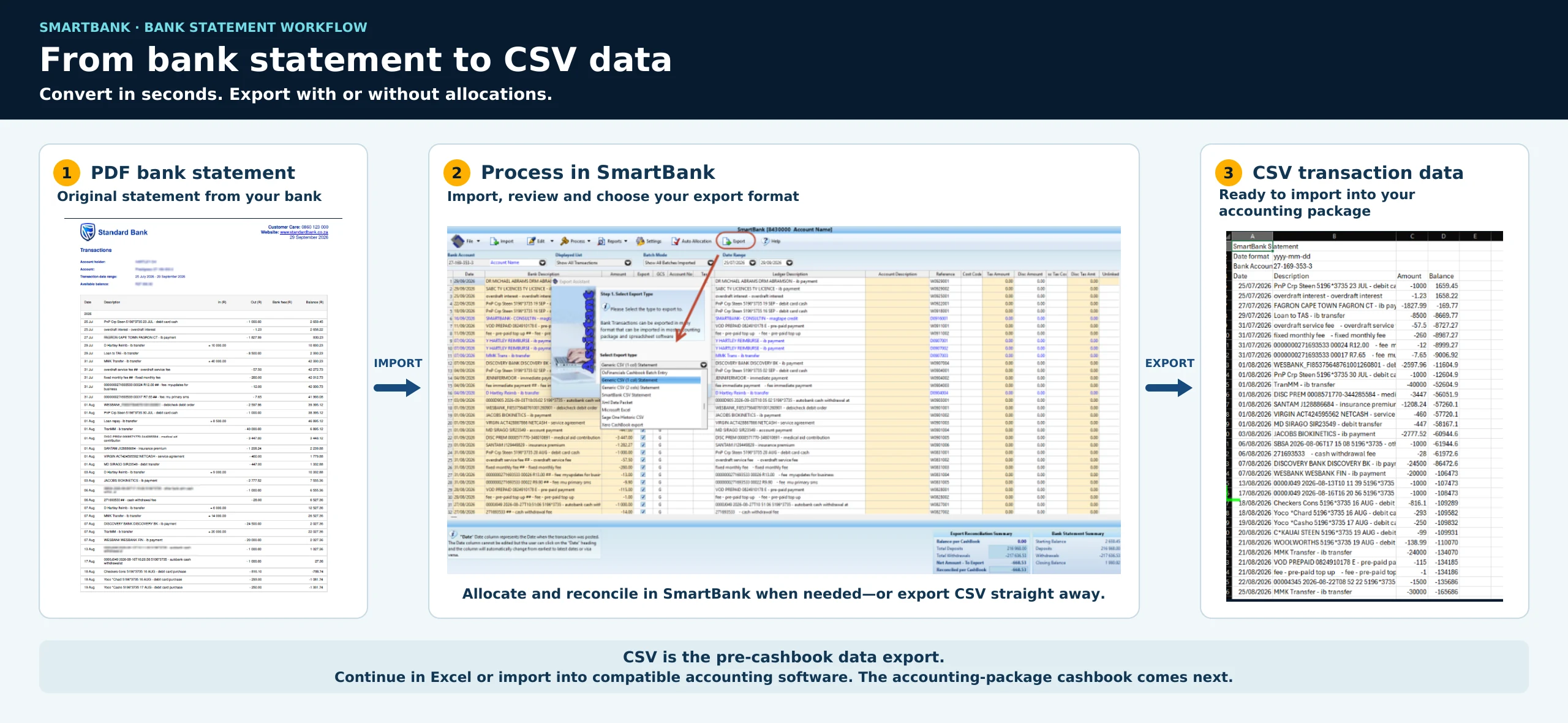
Turn supported original PDF bank statements into transaction data inside SmartBank. Export CSV straight away, or allocate and reconcile before exporting a prepared cashbook.
Just need the transactions?
Import the supported original PDF and export the CSV. Use the result in Excel or a compatible accounting-package import.
Need a prepared cashbook?
Reuse allocations, review and split transactions, reconcile to the statement, then choose the required accounting-package export.
Which PDF files can I use?
- Use the original PDF downloaded from your bank.
- Supported password-protected originals can be imported.
- Scans, photos and image-only PDF copies are not supported.
- Support depends on your bank and statement layout. Ask us to confirm your setup.
PDF conversion produces CSV. It does not convert a PDF to OFX or OFC. Bank-downloaded OFX and OFC files are separate import options.
Download the original statement
Use a supported original bank-issued PDF, or a bank-downloaded CSV, OFX, OFC or text file. Keep a clear record of the bank account and period.
Import into SmartBank
Select the company, bank account and accounting-package workflow. Import the file and enter the PDF password if prompted. Check dates, descriptions and amounts against the statement.
Choose your level of preparation
Export CSV without allocations when you only need transaction data. Alternatively, allocate recurring entries, edit or split transactions and reconcile the cashbook before exporting.
Save and import the right export
Use the layout required by your accounting package and version. Save it with the company, bank and period in the filename. Follow your accounting package’s import mapping and review steps.
A simple CSV example
This illustrative example shows transaction columns, not a guarantee of a particular accounting package’s required import layout.
| Date | Description | Amount (ZAR) |
|---|---|---|
| 2026-09-01 | Customer receipt | 1500.00 |
| 2026-09-02 | Office expense | -250.00 |
Check export workflows or follow the full screenshot guide.